
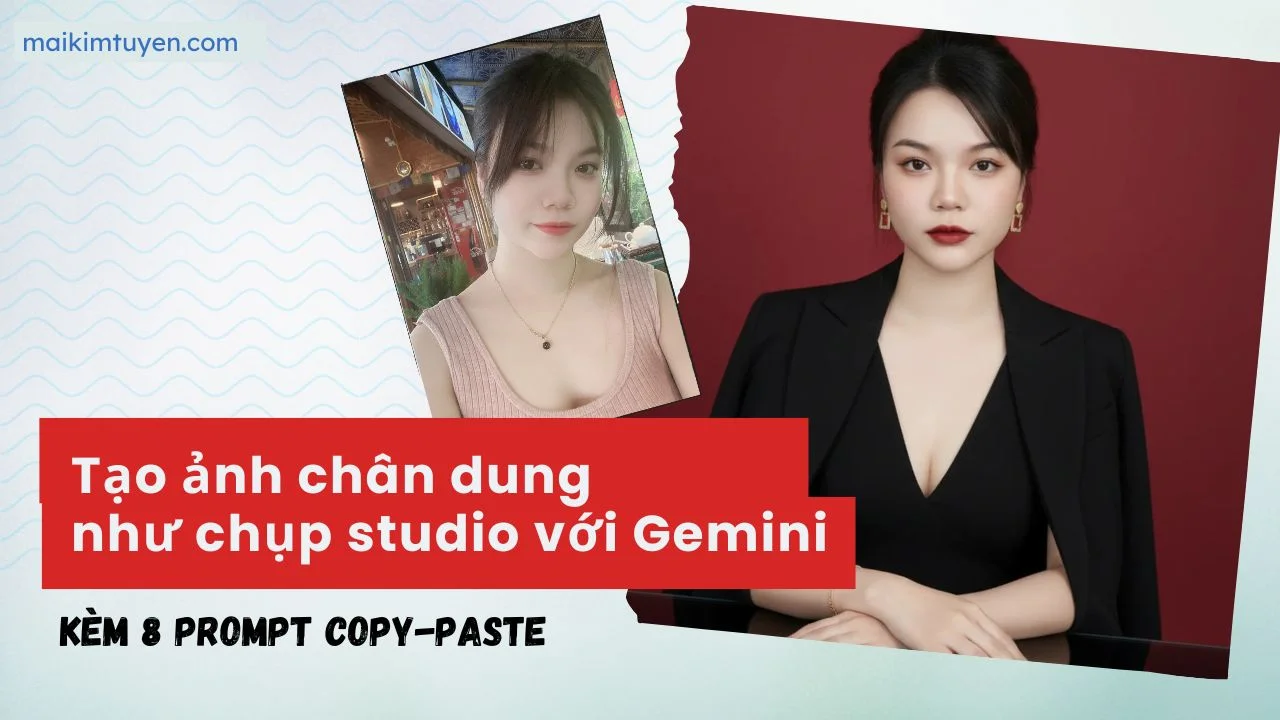
Bạn muốn có những bức ảnh chân dung chuyên nghiệp, đa phong cách mà không cần phải đến studio? Với khả năng tạo hình ảnh của Gemini, điều này hoàn toàn nằm trong tầm tay. Bài viết này sẽ hướng dẫn bạn cách “ra lệnh” cho Gemini một cách đơn giản nhất và cung cấp sẵn một bộ “câu lệnh” (prompt) đã được kiểm chứng để bạn có thể sao chép và tạo ra những bức ảnh ấn tượng ngay lập tức.
Phần 1: “Nói chuyện” với Gemini để tạo ảnh như thế nào?
Hiểu một cách đơn giản, bạn chỉ cần miêu tả bức ảnh bạn muốn, và Gemini sẽ “vẽ” nó ra cho bạn. Quá trình này được gọi là sử dụng prompt (câu lệnh).
Nguyên tắc vàng là: Càng chi tiết, càng chính xác.
Hãy tưởng tượng bạn đang mô tả một bức ảnh cho một họa sĩ thiên tài.
- Nếu bạn chỉ nói: “Vẽ cho tôi một nữ doanh nhân”, người họa sĩ sẽ tự mình quyết định mọi thứ.
- Nhưng nếu bạn nói: “Vẽ một nữ doanh nhân đang mỉm cười, mặc bộ vest màu trắng, đứng trong văn phòng hiện đại có cửa sổ lớn“, kết quả sẽ gần với tưởng tượng của bạn hơn rất nhiều.
Để tạo ảnh chân dung từ ảnh có sẵn của bạn, quy trình cũng tương tự. Bạn cần cung cấp cho Gemini ảnh gốc và sau đó đưa ra những mô tả thật chi tiết.
♦ Hướng dẫn nhanh:
- Truy cập Gemini và đăng nhập bằng tài khoản Google.
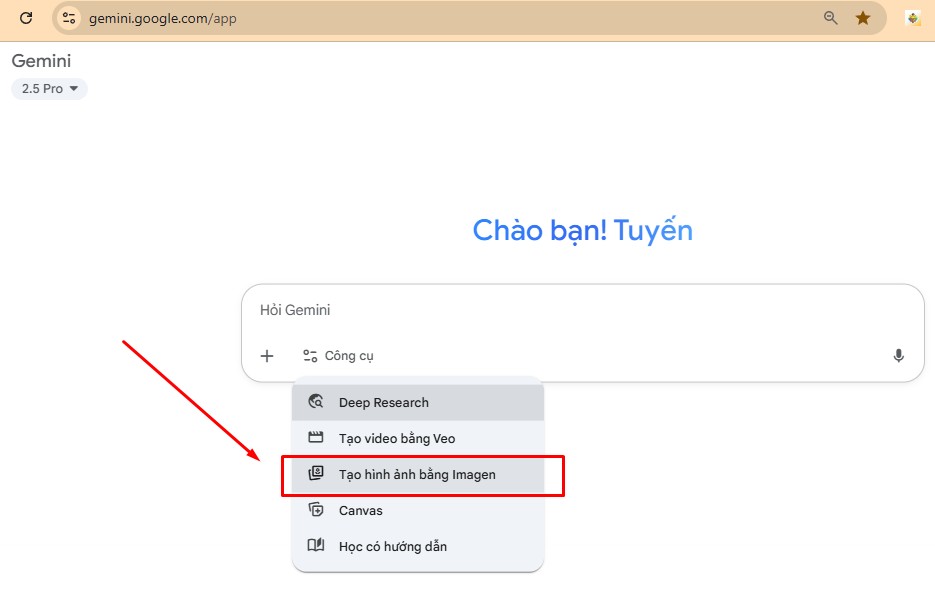
- Chọn mục Image Generation (Tạo ảnh).
- Tải lên ảnh gốc của bạn (ảnh chân dung rõ mặt, ánh sáng tốt).
- Sao chép một trong các prompt mẫu trong bài viết này và dán vào ô nhập lệnh.
Ví dụ: Prompt này để tạo ảnh chân dung làm chủ thể từ 1 ảnh bất kỳ của bạn.
Create a sharp studio close-up portrait, face facing the camera. The subject’s facial recognition must be identical to the eyes, nose, and mouth of the uploaded photo, with no AI interference.
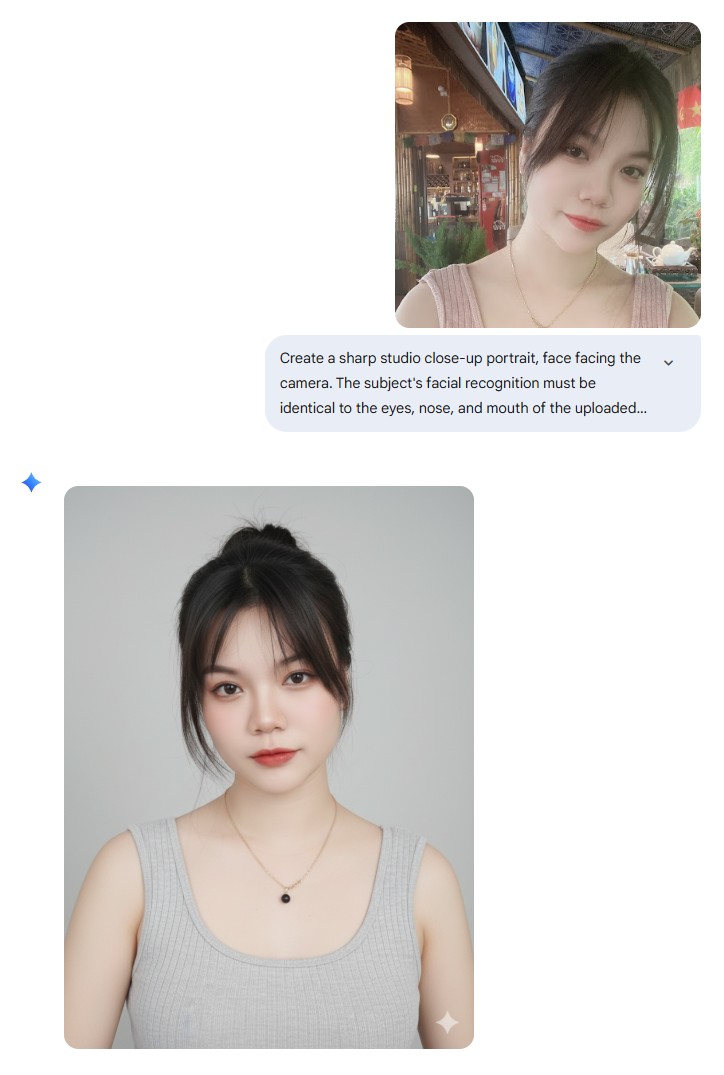
- Nhấn Generate để AI tạo ảnh. Sau vài giây, bạn sẽ nhận được nhiều phiên bản ảnh khác nhau.
- Lưu ảnh yêu thích về máy, hoặc tiếp tục thử nghiệm với prompt khác để có thêm lựa chọn.
Phần 2: Bộ sưu tập prompt chuyên nghiệp để bạn copy & paste
Dưới đây là những câu lệnh đã được sử dụng để tạo ra bộ ảnh doanh nhân ấn tượng từ một ảnh gốc duy nhất.
Lưu ý quan trọng: Trước khi sử dụng các prompt này, bạn cần tải lên bức ảnh chân dung của mình và thêm cụm từ “Use my face photo” (Sử dụng ảnh khuôn mặt của tôi) vào đầu mỗi câu lệnh.
Phong cách 1: Doanh nhân thanh lịch với đầm đỏ
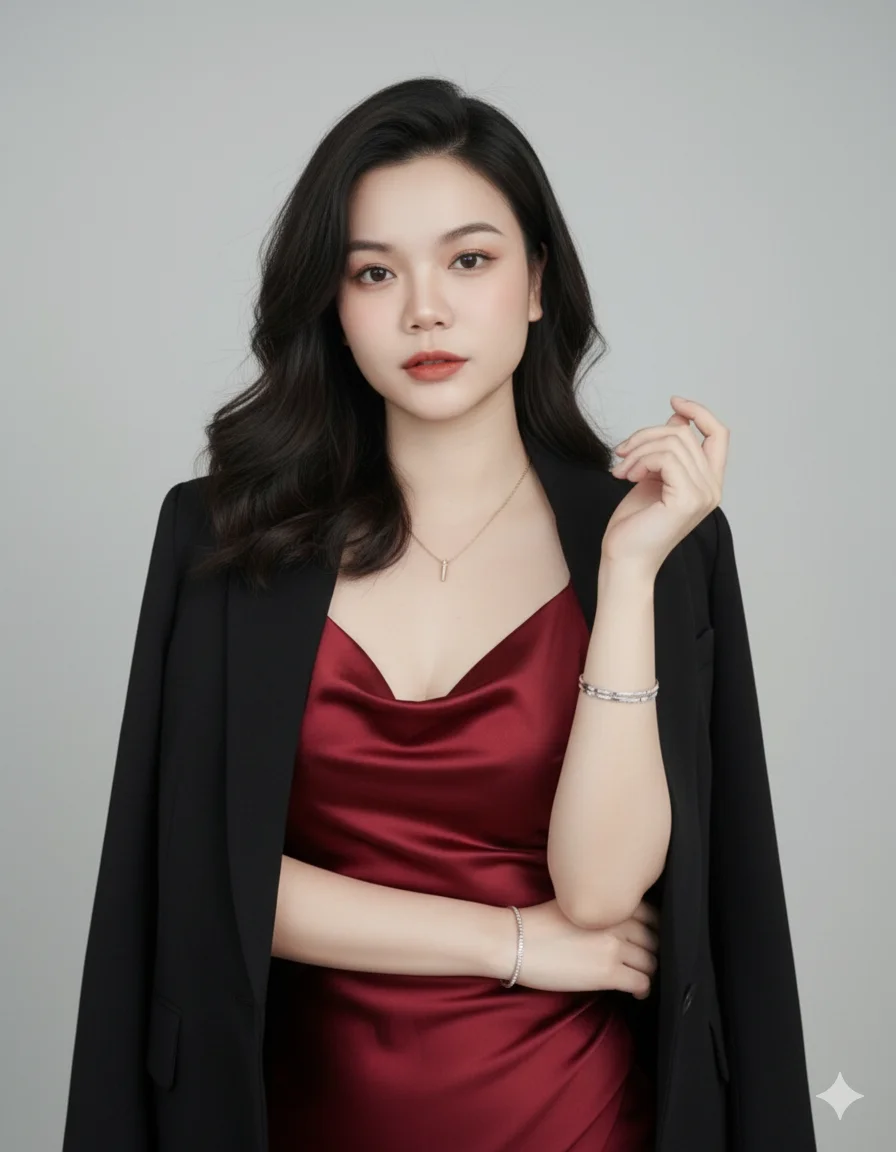
Prompt:
Use my face photo, create an elegant and confident businesswoman portrait. Outfit: silky satin dress in deep red, with a black blazer draped over shoulders. Pose: standing with one arm crossed, the other hand raised near the chest in a graceful gesture. Expression: calm, poised, professional. Accessories: delicate necklace with small pendant, silver bracelets, natural wavy hairstyle. Background: plain light gray studio backdrop with soft lighting. Style: ultra-realistic, high-quality fashion business portrait photography, LinkedIn/CEO profile style. Preserve my exact facial features, identity, and likeness.
Phong cách 2: Quý cô công sở với vest trắng
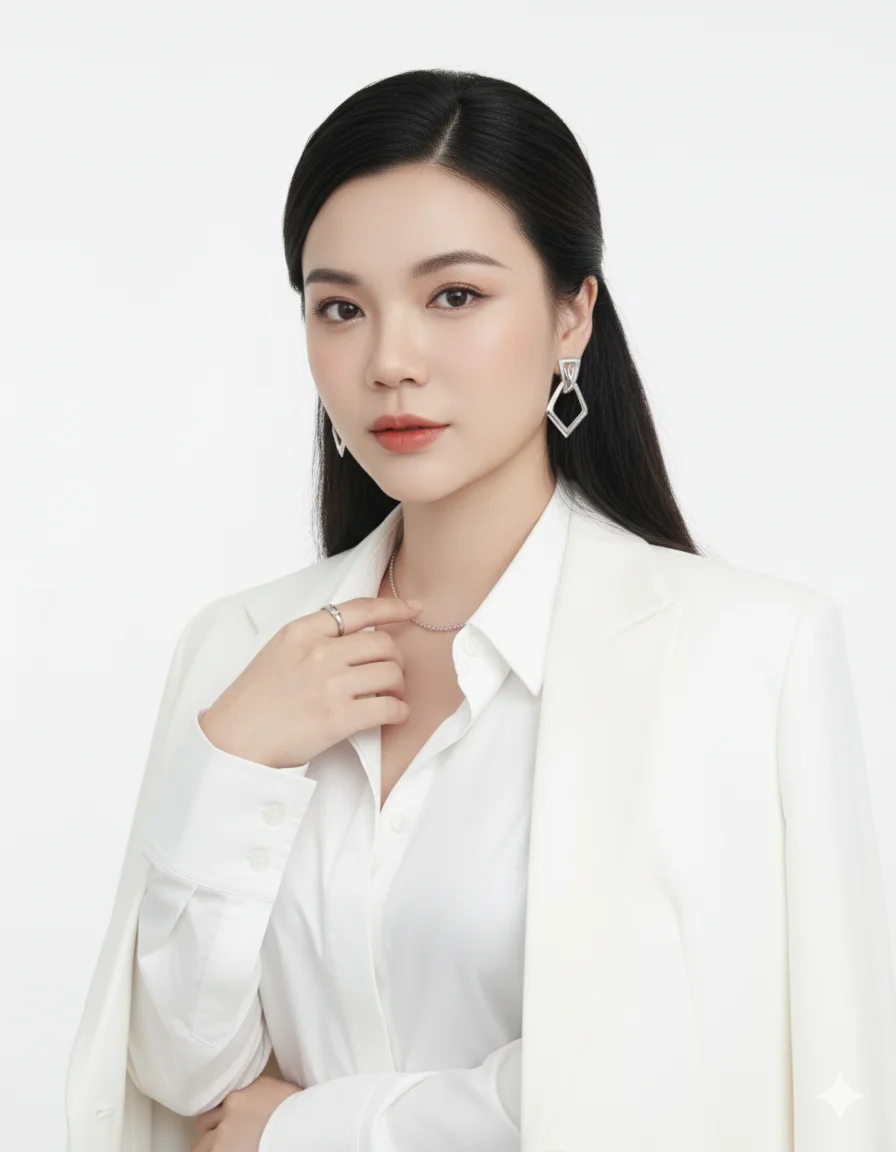
Prompt:
Use my face photo, create an elegant professional businesswoman portrait. Outfit: white open-collar shirt with a white blazer draped over shoulders, silver necklace, silver ring, and large geometric earrings. Pose: standing front-facing, one hand gently touching near the collarbone. Expression: confident, calm, and elegant, looking directly into the camera. Background: plain white, professional studio lighting, high-definition. Style: ultra-detailed, realistic fashion studio photography, LinkedIn/CEO profile style. Preserve my exact facial features, identity, and likeness. Keep hairstyle neat with side parts, natural makeup, and smooth skin.
Phong cách 3: Nữ lãnh đạo quyền lực
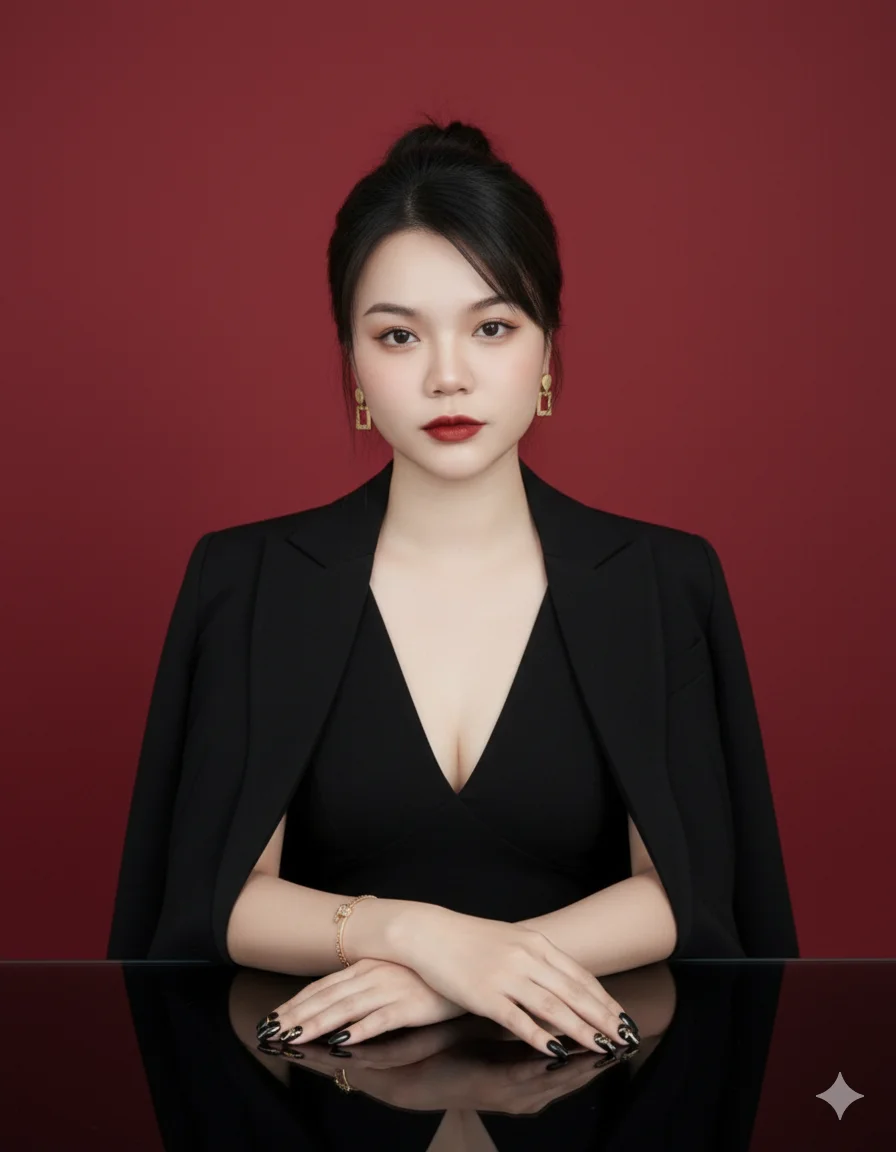
Prompt:
Use my face photo, create a luxurious and powerful businesswoman portrait. Outfit: elegant black blazer draped over shoulders, deep V-neck black top. Pose: sitting at a glossy table, hands folded together in front. Expression: confident, sophisticated, slightly serious. Accessories: gold bracelet, square earrings, long black manicure with patterns, glossy makeup. Background: solid deep red backdrop with professional studio lighting. Style: ultra-realistic, high-quality fashion business photography, LinkedIn/CEO profile style. Preserve my exact facial features, identity, and likeness.
Phong cách 4: Chuyên gia thân thiện tại văn phòng
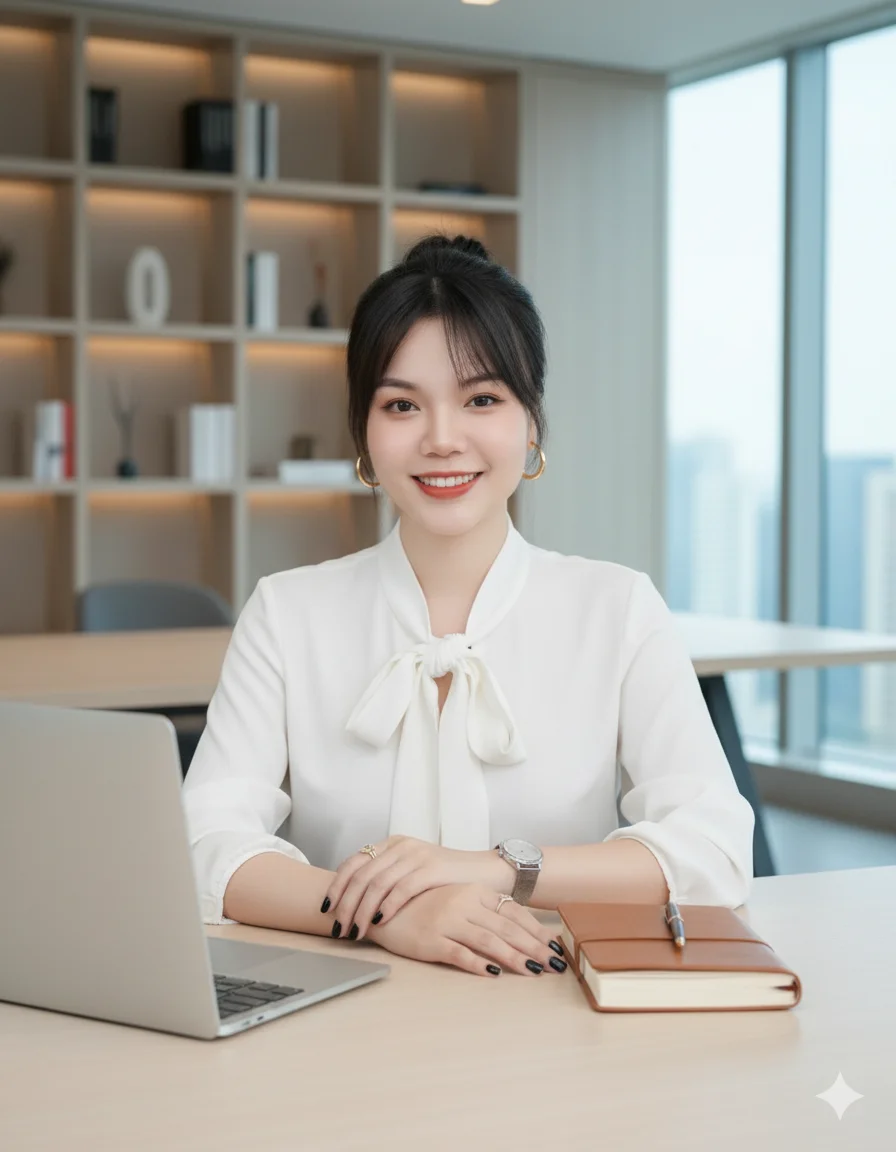
Prompt:
Use my face photo, create a professional businesswoman portrait at the office. Outfit: elegant white blouse with tied neckline. Pose: sitting at a desk, hands gently folded on the table near a laptop and notebook. Expression: smiling, confident, approachable, natural. Accessories: gold hoop earrings, silver wristwatch, rings with black nail polish. Background: modern office interior with bookshelves and neutral tones. Style: realistic, high-quality corporate photography, LinkedIn/CEO profile style. Preserve my exact facial features, identity, and likeness.
Phong cách 5: Doanh nhân hiện đại với vest đỏ
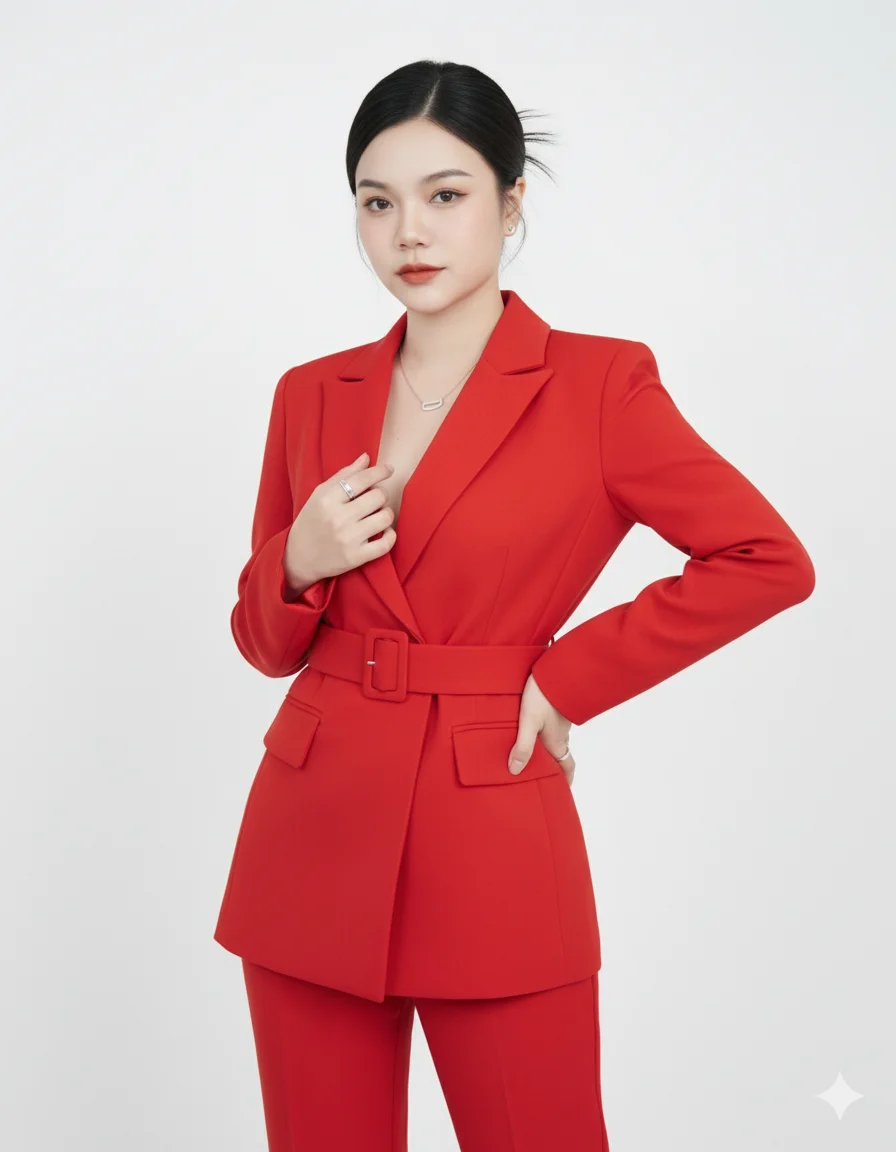
Prompt:
Use my face photo, create a stylish professional businesswoman portrait. Outfit: bright red tailored suit with blazer and matching pants, belted waist. Pose: one hand resting on waist, the other gently touching blazer. Expression: confident, elegant, modern. Accessories: silver necklace, earrings, rings. Background: plain white, professional studio lighting. Style: realistic, high-fashion business photography. Preserve my exact facial features, identity, and likeness.
Phong cách 6: Vẻ đẹp quyến rũ và chuyên nghiệp
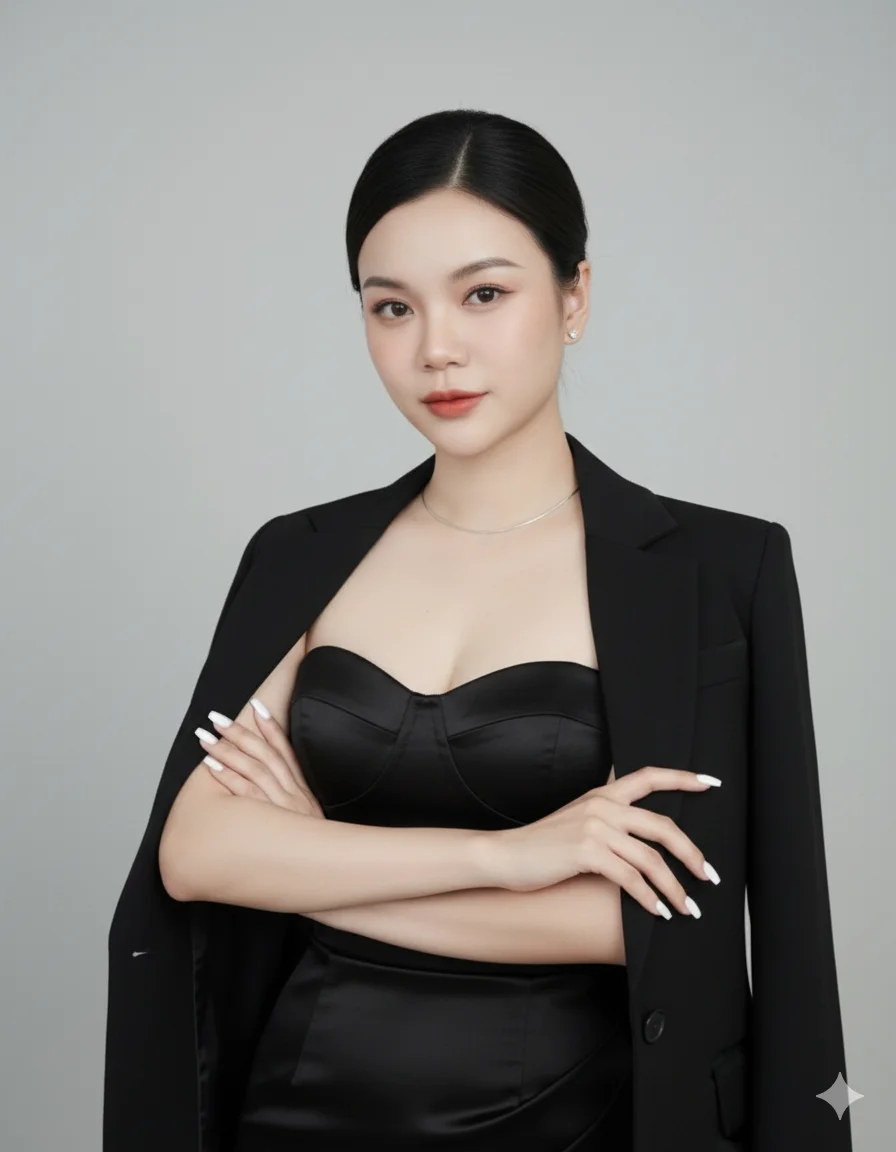
Prompt:
Use my face photo, create a glamorous and powerful businesswoman portrait. Outfit: elegant strapless black satin dress with a matching black blazer draped over shoulders. Pose: standing confidently with arms crossed in front. Expression: confident, graceful, modern. Accessories: minimal jewelry, long white manicure, neat updo hairstyle. Background: plain gray studio backdrop with soft professional lighting. Style: ultra-realistic, high-quality fashion business portrait photography, LinkedIn/CEO profile style. Preserve my exact facial features, identity, and likeness.

Prompt:
Use my face photo, create a professional and elegant businesswoman portrait. Outfit: silky white blouse, dark grey blazer draped over shoulders, and black pencil skirt. Pose: sitting on a chair with legs crossed, one hand resting on lap, the other gently raised near the face.
Expression: confident, graceful, modern. Accessories: pearl earrings, delicate necklace, bracelets, rings. Background: plain gray studio backdrop with professional lighting. Style: high-quality fashion business photography, LinkedIn/CEO profile style. Preserve my exact facial features, identity, and likeness.
Phong cách 7: Thanh lịch và điềm tĩnh
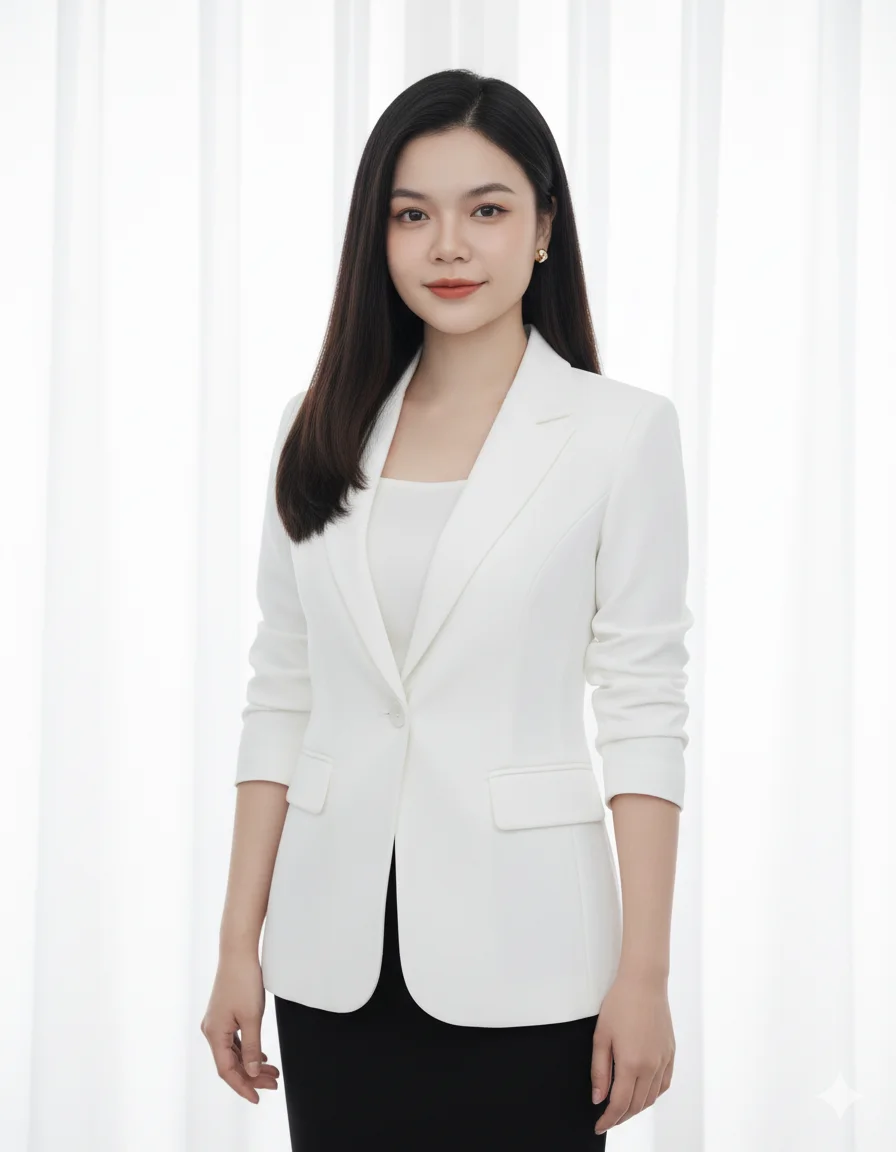
Prompt:
Use my face photo, create a professional and elegant businesswoman portrait. Outfit: silky white blouse, dark grey blazer draped over shoulders, and black pencil skirt. Pose: sitting on a chair with legs crossed, one hand resting on lap, the other gently raised near the face. Expression: confident, graceful, modern. Accessories: pearl earrings, delicate necklace, bracelets, rings. Background: plain gray studio backdrop with professional lighting. Style: high-quality fashion business photography, LinkedIn/CEO profile style. Preserve my exact facial features, identity, and likeness.
Phong cách 8: Headshot cho hồ sơ chuyên nghiệp
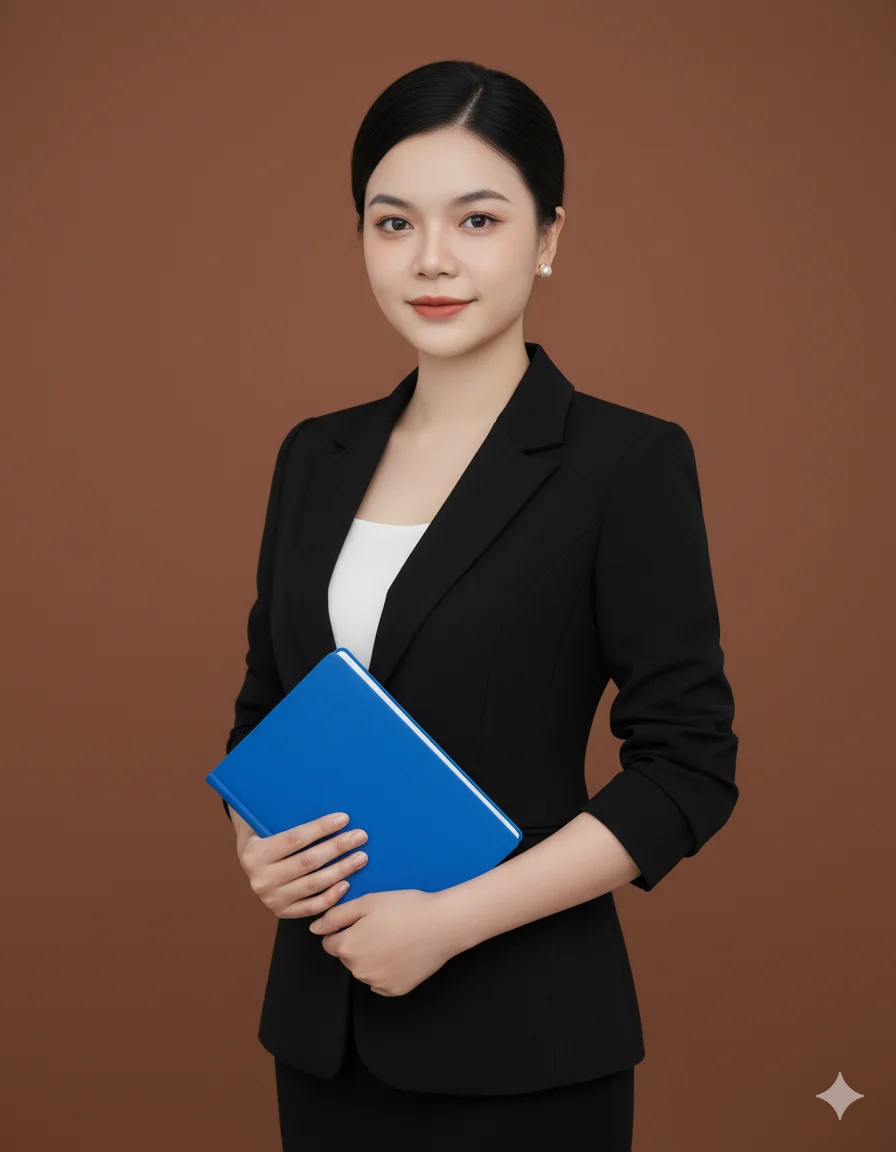
Prompt:
Use my face photo, create a professional corporate headshot portrait. Outfit: elegant black tailored blazer with satin lapels, paired with a silky white blouse. Pose: straight-on, upper-body portrait with arms relaxed, neutral posture. Expression: confident, calm, approachable with a soft smile. Accessories: pearl earrings, subtle luxury jewelry, long wavy hair Background: gradient gray studio backdrop, soft professional lighting. Style: ultra-realistic, high-quality corporate headshot photography, LinkedIn/CEO profile style. Preserve my exact facial features, identity, and likeness.
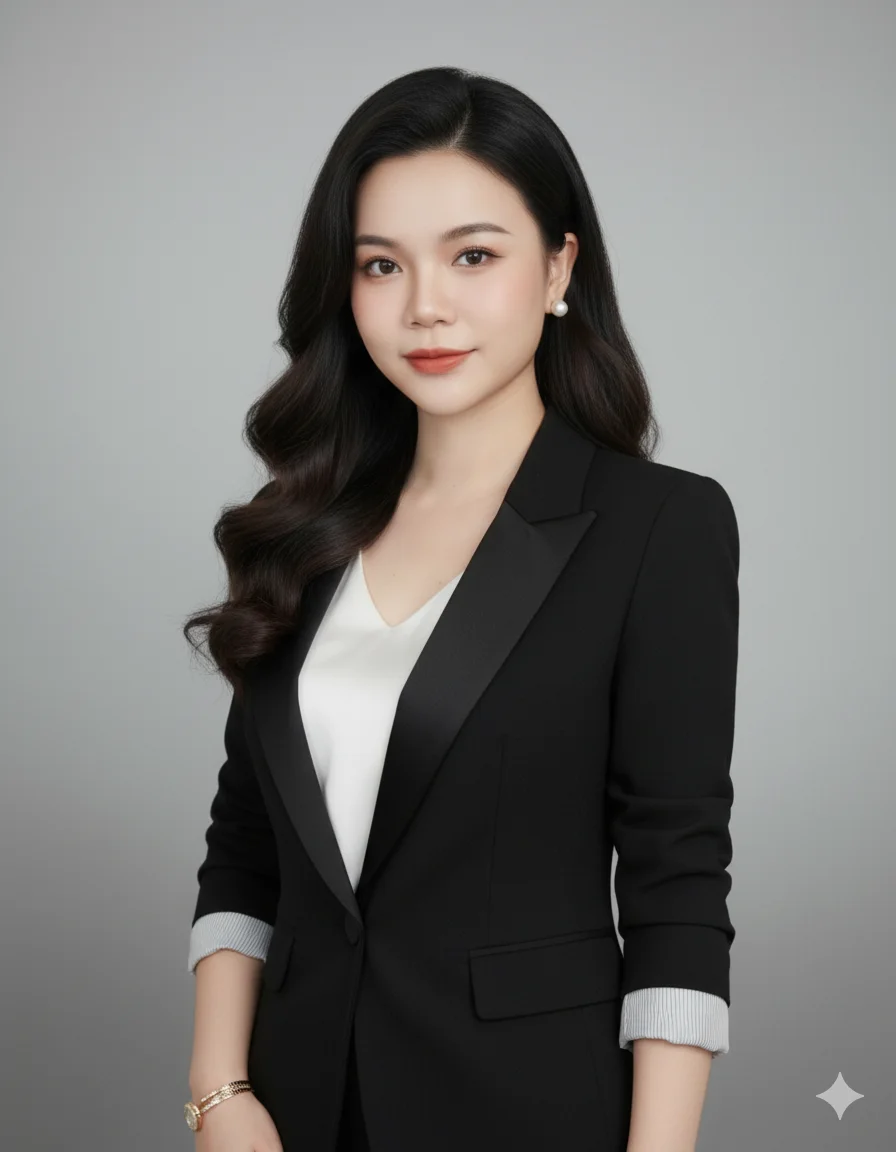
Prompt:
Expression: confident, calm, approachable with a soft smile. Accessories: pearl earrings, subtle luxury jewelry, long wavy hair
Background: gradient gray studio backdrop, soft professional lighting. Style: ultra-realistic, high-quality corporate headshot photography, LinkedIn/CEO profile style. Preserve my exact facial features, identity, and likeness.
Giờ đây, bạn chỉ cần chọn phong cách mình yêu thích, sao chép câu lệnh, tải ảnh của mình lên và để Gemini thực hiện phần còn lại. Chúc bạn có những bức ảnh thật đẹp!

Cám ơn bạn đã đọc trọn vẹn bài viết này, đừng quên đăng ký để nhận thông tin và nội dung mới nhất từ Tuyến nhé!
➡ Tham gia Nhóm SEO từ số 0 Chia sẻ kinh nghiệm, thực hành từng bước – không lý thuyết suông. Học chậm, chắc, và cùng nhau tiến bộ mỗi ngày.
Tham khảo thêm
15 Công Cụ Tải Video Từ YouTube, TikTok, Facebook, X Và Nhiều Nền Tảng
Bạn cần tải lại video đã đăng, lưu tư liệu được chủ sở hữu cho phép hoặc lấy file để dựng nội dung cho khách hàng? Thay vì thử nhiều website...
Cách Tạo Ảnh Quảng Cáo Bằng ChatGPT: Quy Trình Và Prompt Mẫu
Bạn có thể dùng ChatGPT để tạo key visual, ảnh sản phẩm có bối cảnh, poster, ảnh social, storyboard carousel hoặc bản nháp billboard. Tuy nhiên, kết quả có dùng được...
23 Sách Nguyễn Duy Cần PDF: Danh Mục Và Link Đọc
Nếu từng đọc Tôi Tự Học, Óc Sáng Suốt hoặc Thuật Tư Tưởng, bạn có thể đã quen với cách viết điềm tĩnh, giàu suy ngẫm của học giả Thu Giang...
Bộ Tài Liệu SGK PDF Lớp 1–12 Năm Học 2026–2027
Phụ huynh, học sinh và giáo viên có thể tham khảo bộ tài liệu SGK PDF dành cho 12 khối lớp trong bài viết này. Mỗi lớp được đóng thành một...
Breadcrumb Schema trên WordPress: cấu hình đúng với Rank Math
Breadcrumb ở đầu bài viết cho người đọc biết họ đang ở đâu và có thể quay lại chủ đề lớn hơn bằng đường nào. Trong mã nguồn, BreadcrumbList giúp công...
Google đã gỡ FAQ rich results từ 7/5/2026: còn nên giữ FAQ Schema không?
Từ ngày 7/5/2026, FAQ rich results không còn xuất hiện trên Google Search. Điều đó có nghĩa những câu hỏi và câu trả lời dạng mở rộng dưới kết quả tìm...